
Audio Metadata
Simplified
A powerful and intuitive audio metadata editor for macOS and Windows. Edit MP3 tags, manage album art, batch rename files, and organize your music library with ease. Free & Open Source.Powerful Audio Tag Editing
Edit all common audio metadata fields including title, artwork, artist, album, album artist, track number, genre, year, composer and more. With full support for multiple values per field.Artwork & Embedded Images
Audexis lets you view, add, replace, and remove multiple embedded images within a single audio file, not just the main album cover. Many formats support secondary artwork like back covers, disc images, logos, and booklets, and Audexis gives you full control over all of them. Whether you're managing high-resolution album art or cleaning up unnecessary images, you can easily organize and edit every artwork entry in one place.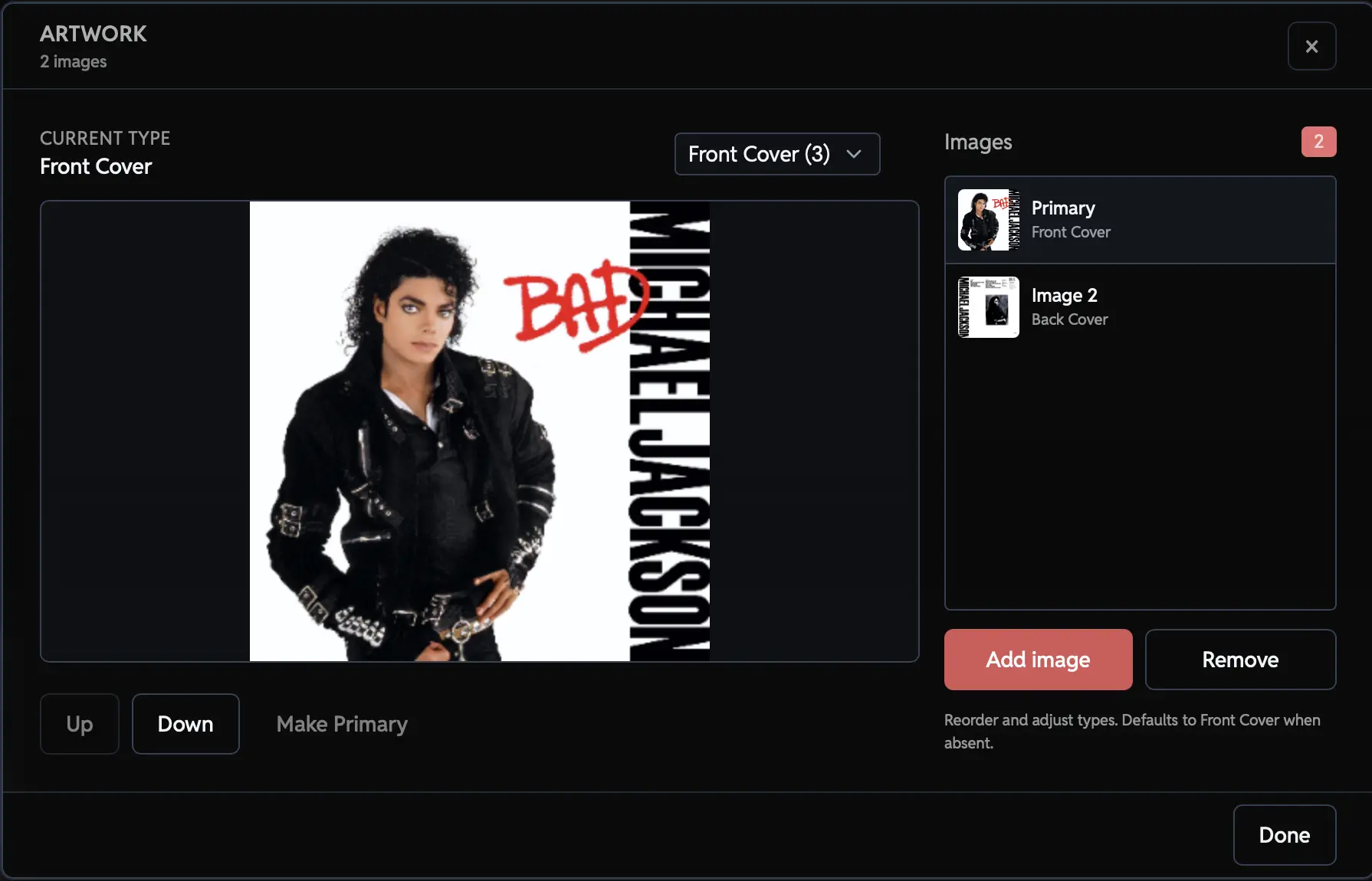
Pattern-Based Renaming
Audexis includes a powerful renaming system that lets you automatically rename files using customizable patterns built from any metadata tag. You can combine fields like artist, album, track number, title, year, or even custom tags to create consistent naming formats that match your library's organization style. Audexis generates clean, predictable filenames with a single click, perfect for keeping large collections neat and searchable.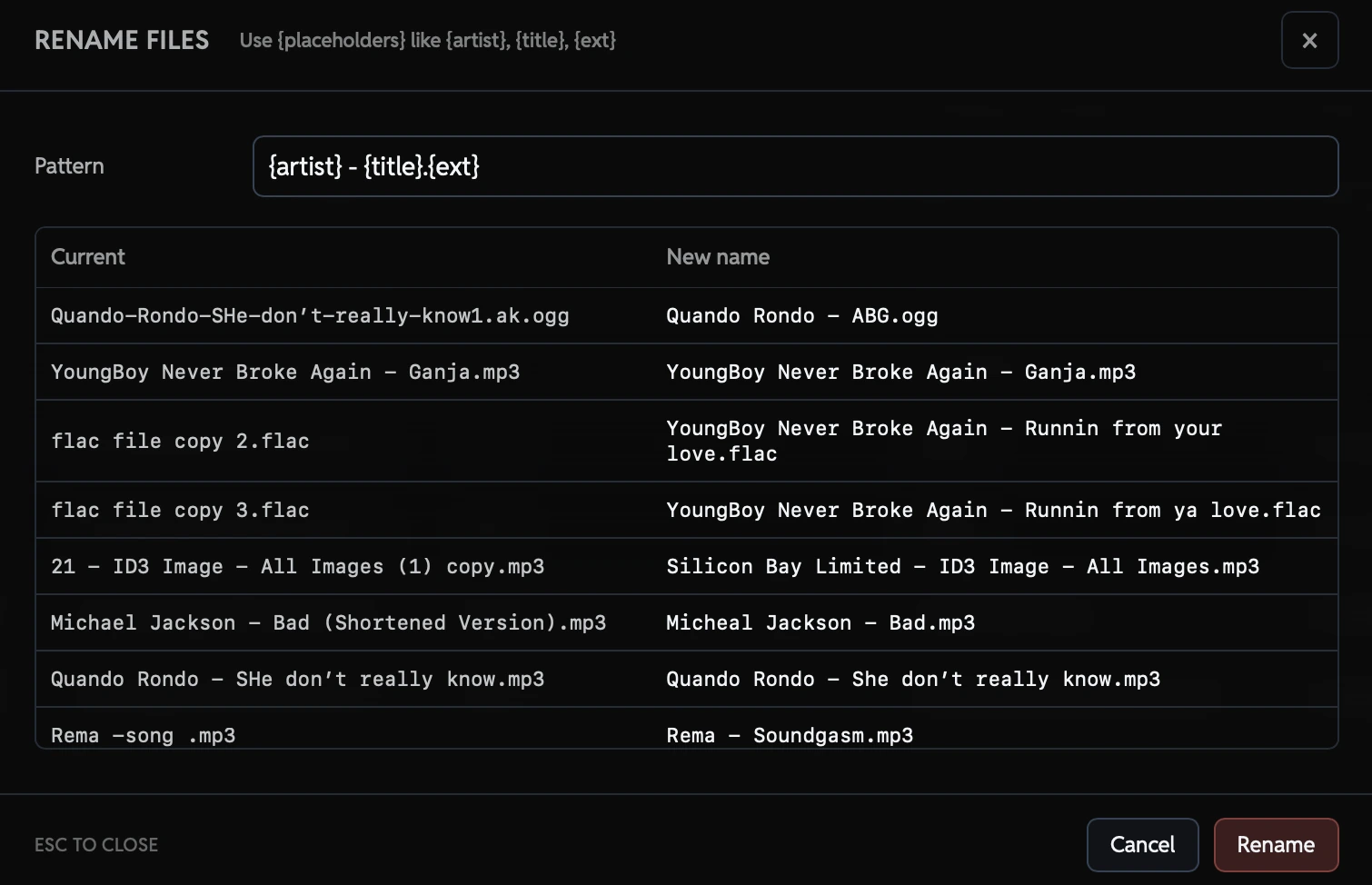
Customization & Workflow
Tailor Audexis to fit your workflow and aesthetic preferences with a variety of customization options.Theme Options
Choose between light, dark, or system themes to match your appearance preferences.Column Customization
Customize visible columns, reorder fields, and focus only on the metadata you care about.Flexible Layouts
Adjust the layout to suit your workflow, whether you prefer a compact view or detailed information. You can also increase and decrease the sidebar width.Sidebar Customization
Choose the tags you want to edit. Whether it’s the title or the album cover, you decide what appears there.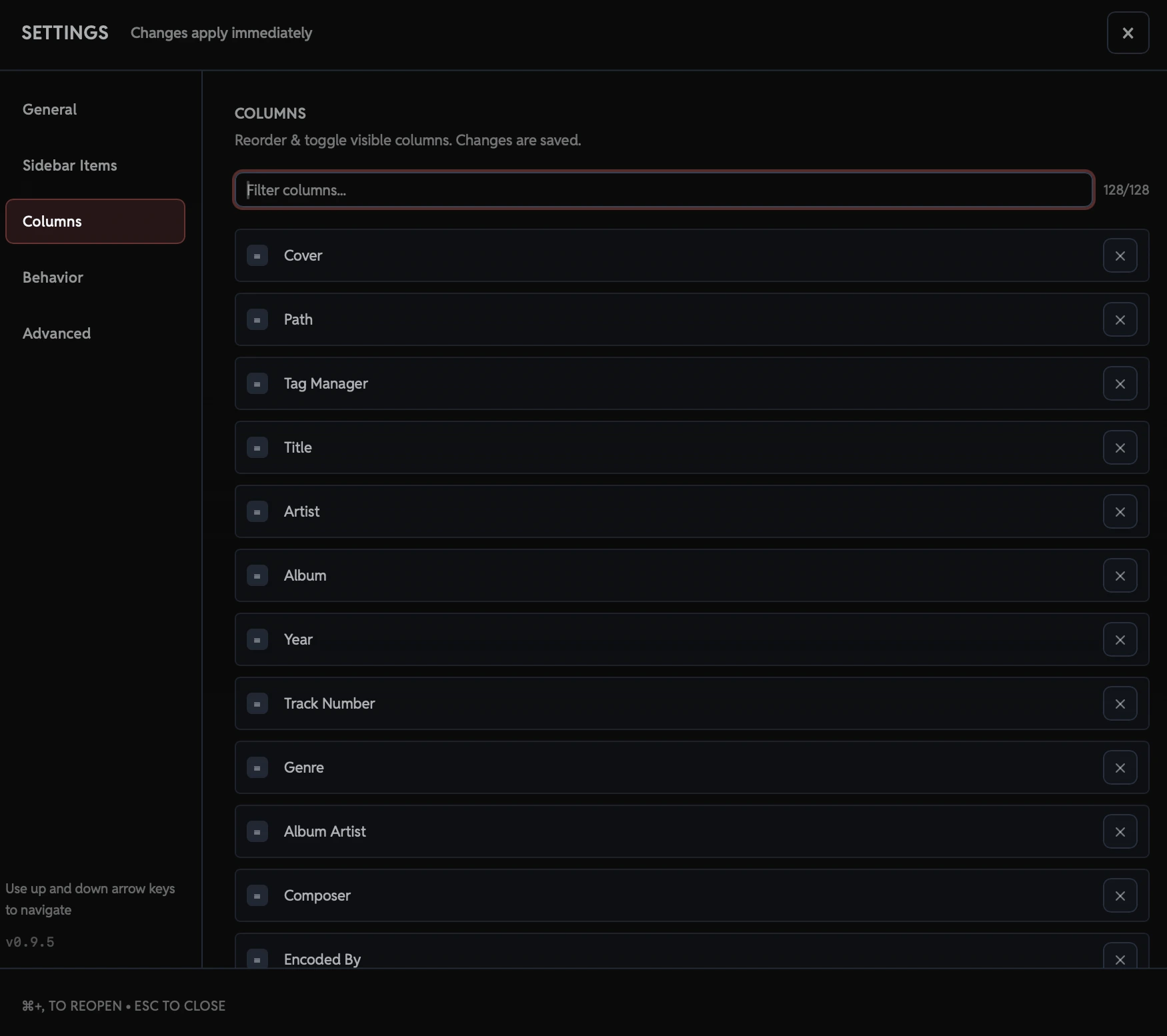
Batch editing
Batch editing, done right. Apply precise metadata changes across multiple files at once. With full support for mixed values, multi-value fields, and safe previews before saving.Multi-File Selection
Edit metadata across dozens or hundreds of files at once. Audexis lets you select multiple tracks and apply changes in a single pass, saving you from repetitive, file-by-file edits when working with albums, EPs, or large collections.Smart Mixed-Value Handling
When selected files contain different values for the same field, Audexis clearly indicates mixed values instead of guessing. You stay in control of what gets changed, ensuring existing metadata is never overwritten by accident.Edit Only What You Change
Audexis only writes the fields you explicitly modify. Unchanged tags are left untouched, making batch edits safe and predictable even when working with files that already contain detailed metadata.Multi-Value Tag Support
Some fields support multiple values, such as artists, genres, or composers. Audexis fully supports adding, removing, and reordering individual values without flattening or losing existing data.Consistent Results Across Files
Batch edits are applied consistently across all selected files, regardless of their original metadata differences. This makes it easy to standardize tags across entire albums or libraries in one step.Undo & Redo
Audexis keeps track of your changes so you can undo or redo edits across multiple files, even after large operations. If something doesn’t look right, you can step back instantly without losing your place or reloading your library.Supports Your Music Library
Works with the most popular audio formatsM4A
MP4
QT
M4B
M4V
MOV
OGG
OPUS
OGA
SPX
OGV
MP3
MP2
MP1
FLAC
Take Control of Your Audio Library
Audexis empowers you to effortlessly manage and edit your audio metadata, ensuring your music collection is always organized and up-to-date.